

KK8 User Guide for Account, Payments, Games and Bonus Features
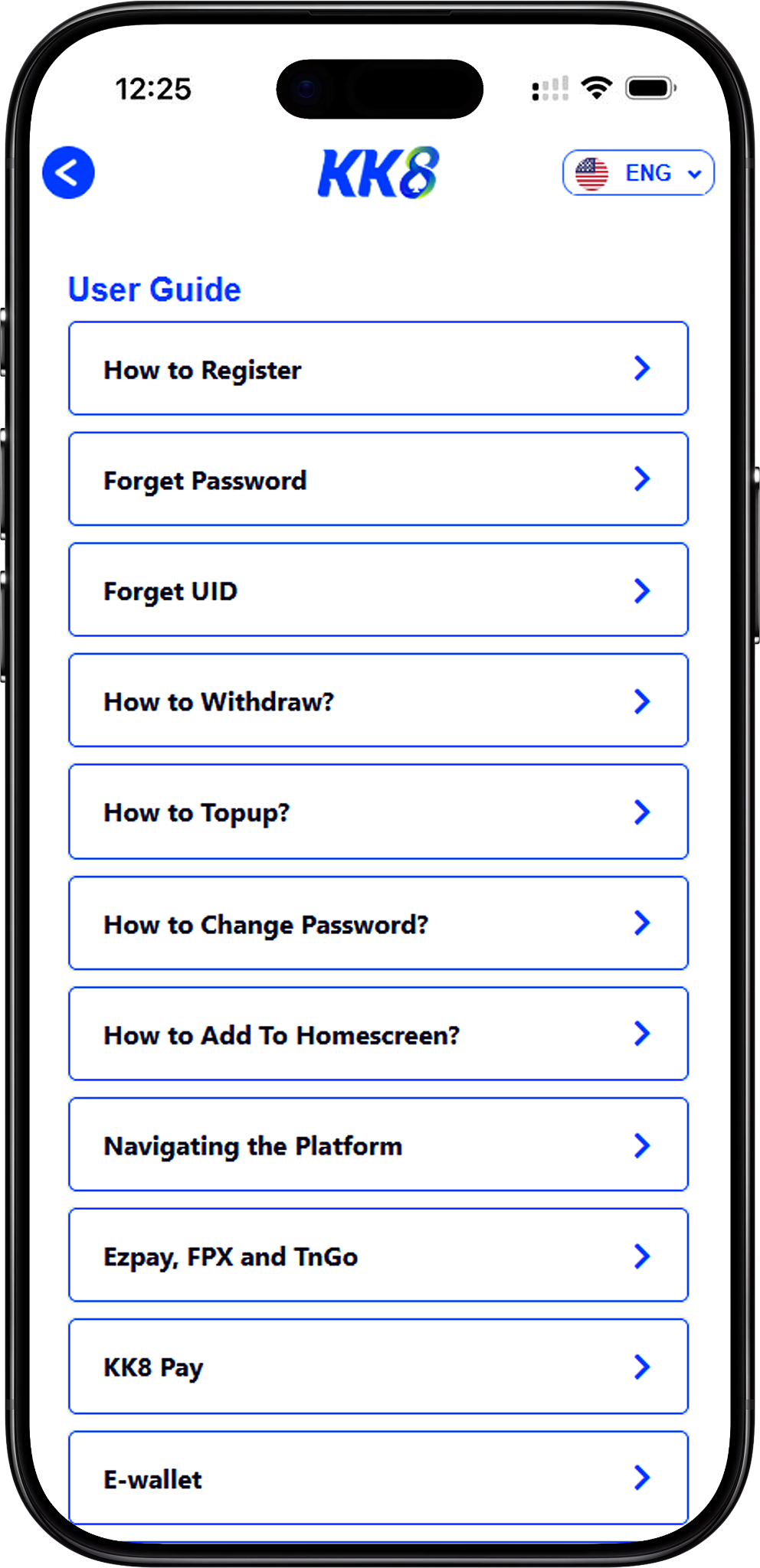
KK8 provides a collection of practical guides covering account setup, account recovery, payments, transaction tracking, lottery, wallet functions and bonus features. Use this page as a central reference to find the instructions that match the task you want to complete.
You can start from https://kk8official.com.my/ (Naked URL), sign in through KK8 Login (/en/login) (Internal Link), or create an account through KK8 Register (/en/register) (Internal Link) before following the relevant guide below.
For quick navigation, jump to How To Register? (#how-to-register) (Anchor Link), How To Withdraw? (#how-to-withdraw) (Anchor Link), How To Top Up? (#how-to-top-up) (Anchor Link), Navigating the Platform (#navigating-the-platform) (Anchor Link), How To Buy Lottery (#how-to-buy-lottery) (Anchor Link), or Daily Check In Bonus (#daily-check-in-bonus) (Anchor Link).
Table of Contents
- 1. How To Register?
- 2. Forget Password
- 3. Forget UID
- 4. How To Withdraw?
- 5. How To Top Up?
- 6. How To Change Password?
- 7. How To Add To Homescreen?
- 8. Navigating the Platform
- 9. Ezpay, FPX and TnGO
- 10. E-Wallet
- 11. Promo Code Redemption
- 12. KK8 Pay
- 13. How To Add New Withdrawal Account?
- 14. Track Your Withdrawal History
- 15. USDT Deposit
- 16. Track Your Deposit History
- 17. How To Buy Lottery
- 18. Track Your Game Transaction And Rebate History
- 19. How To Use Restore Button Correctly
- 20. Daily Check In Bonus
How To Register?
Choose the Registration Method That Fits You
Learn how to create an account using One-Click Registration, a mobile number or an email address. The guide explains language selection, puzzle verification, UID and password setup, OTP verification and successful account creation.
Forget Password
Reset Your Account Password with OTP Verification
Follow the password recovery process by selecting Forgot Password, entering your User ID and registered phone number, requesting an OTP, verifying the code and setting a new password before continuing.
Forget UID
Recover a Forgotten User ID
Use the Forgot UID option from the login flow, enter your registered phone number, request the verification OTP and retrieve the UID associated with your account before returning to login.
How To Withdraw?
Set Up a Payment Method and Request a Withdrawal
Learn how to open Withdraw, review the stated minimum withdrawal amount of RM100, add an online banking payment method, enter the bank account details and submit the request. The supplied process indicates that a completed withdrawal may be received within around 10 minutes, subject to processing.
How To Top Up?
Fund Your Account Through an Available Deposit Channel
The top-up guide explains how to open Deposit, choose a deposit channel, enter a deposit amount with the supplied minimum of RM20, select an applicable promotion and submit the funding request.
How To Change Password?
Update Your Password from the Account Area
Improve account security by opening your account settings, selecting Change Password, entering the old and new passwords, confirming the new password and submitting the update.
How To Add To Homescreen?
Create Faster Access from Your Device Home Screen
Learn how to open the browser menu, choose Add To Home Screen and confirm the action so the platform can be accessed through a convenient home-screen shortcut.
Ezpay, FPX and TnGO
Use Online Banking or Touch’n Go for Deposits
Learn how to select EzPay or FPX, choose a preferred bank, enter an amount, confirm the payment details, enter your UID and authorise the payment through online banking. The same guide also covers Touch’n Go deposits using a top-up amount, payment confirmation and PIN entry.
E-Wallet
Top Up Through Touch’n Go
The E-Wallet guide focuses on the Touch’n Go deposit flow, including opening Deposit, selecting the deposit channel, entering a top-up amount, proceeding to payment and authorising the transaction with your PIN.
Promo Code Redemption
Redeem an Eligible Promotional Code
Learn how to open your account area, select the code redemption option, enter the promotional code you received and complete the redemption when the code is valid and eligible.
KK8 Pay
Complete an Online Banking Top Up
The KK8 Pay guide walks through selecting KK8 Pay from the deposit channels, choosing a preferred bank, entering the payment amount, confirming the bank and amount, entering your UID and authorising the payment through your banking account.
How To Add New Withdrawal Account?
Save a New Bank Account for Withdrawals
Learn how to open Withdraw, select Add New Payment Method, choose your preferred bank, enter the account number and submit the details so the new payment method can be stored for future withdrawal requests.
Track Your Withdrawal History
Review Past Withdrawal Requests by Date and Status
Use History to select Withdrawal as the transaction type, enter the relevant start and end dates, choose a status such as Pending, Approved or Rejected, and review the matching withdrawal records.
USDT Deposit
Deposit USDT Through the TRC-20 Network
Learn how to open Deposit, choose Crypto, select USDT with the TRC-20 network protocol, enter the amount and submit the request. The supplied instructions state that the generated QR code or wallet address is for one-time use only and should not be saved or reused.
Track Your Deposit History
Find Previous Deposits Using Date and Status Filters
Open History, select Deposit, enter the relevant start and end dates, choose a transaction status such as Pending, Approved or Rejected and review the matching deposit records.
How To Buy Lottery
Use EKOR Bet 1 or Bet 2 for Lottery Selections
Learn how to launch EKOR, review receipts, results and daily odds, then place selections through Bet 1 or Bet 2. Supported operators in the supplied guide include MAGNUM, TOTO, DAMACAI, SABAH, SANDAKAN, CASH SWEEP and SINGAPORE POOLS.
Track Your Game Transaction And Rebate History
Review Gaming Activity and Rebate Records
The game transaction guide shows how to filter records by start and end date, start and end time and game provider. Rebate history can be reviewed separately by choosing Rebate as the transaction type and setting the relevant date range.
Daily Check In Bonus
Meet Daily Turnover Conditions and Claim Eligible Rewards
Learn how to open History, use the “!” information button, check the required main wallet turnover and claim an available Daily Check In reward. The supplied examples include an RM2 free bonus after the relevant RM1 turnover condition and an RM3 credit after a displayed RM10 condition, while actual eligibility should be checked in the current account interface.
Find the KK8 Guide You Need
Choose the relevant guide above for account setup, payments, transaction tracking, lottery, wallet functions or bonus features, and follow the instructions that match your current task.